Driving Simulator for Race Training: Build Track Skills
A fast simulator lap is useful only if it teaches you something you can apply on track. A driving simulator for race training lets you repeat racing lines, braking points, and corner exits, then assess how your inputs affect the result.
It’s reasonable to ask how realistic sim racing feels: a screen and steering wheel can’t reproduce every force or sensation of a real car. But a well-set-up cockpit, immersive display, responsive controls, and convincing vehicle physics can provide a focused environment for building consistency and learning a circuit.
This guide explains which skills simulator practice can develop, how track conditions and setup affect realism, and where simulation has limits. It also covers how cockpit and display choices shape the experience, from monitors to virtual reality, so you can focus on what matters for your training goals.
Key Takeaways
- Use repeatable simulator sessions to work on racing lines, braking points, and throttle application, then review your inputs to identify where technique can improve.
- Judge realism by how the vehicle responds to your inputs and how accurately the simulation represents track conditions, not by visuals alone.
- Match the simulator’s vehicle model, controls, seat position, and field of view to your training goals for a more consistent practice environment.
- Choose a display and cockpit setup based on the experience you need: monitor-based views and VR offer different ways to perceive the circuit and surroundings.
Practicing racing lines, braking, and acceleration
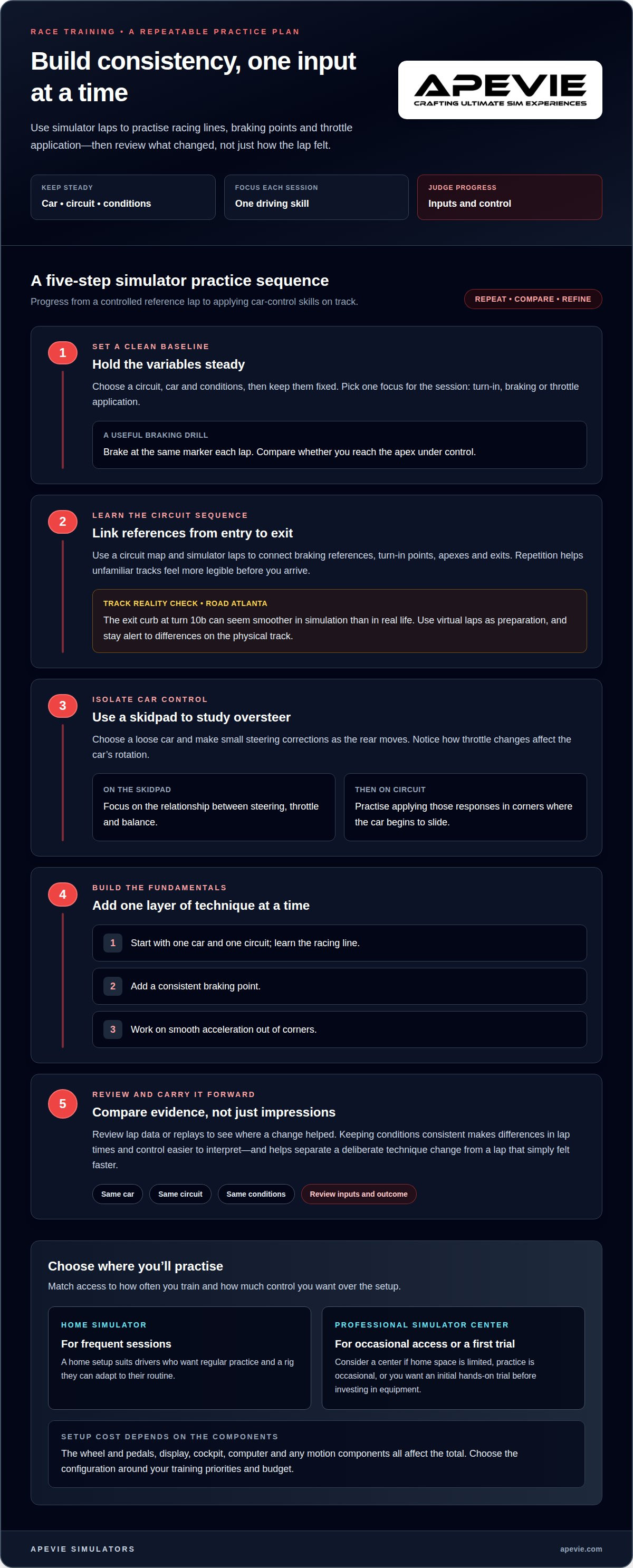
A simulator lets you repeat the same corner until your inputs become consistent. Choose a circuit, car, and conditions, keep them fixed, then focus on one skill: turn-in, braking, or throttle application. For example, brake at the same marker each lap and compare whether you reach the apex under control. Repetition helps distinguish a deliberate technique change from a lap that simply felt faster.
Unfamiliar tracks become easier to approach when you learn their sequence of corners before arriving. Use a circuit map and simulator laps to connect braking references, turn-in points, apexes, and exits. At Road Atlanta, the exit curb at turn 10b can seem smoother in simulation than in real life, which may change a driver’s preferred line. Treat virtual practice as preparation, then stay alert to differences in the physical track.
To practise controlling oversteer, choose a loose car and use a skidpad. Make small steering corrections as the rear moves, and notice how throttle changes affect the car’s rotation. A skidpad removes the complexity of a full circuit, letting you focus on the relationship between steering, throttle, and balance. Once these responses feel more familiar, practise applying them in corners where the car begins to slide.
A home racing simulator suits drivers who want frequent sessions and a setup they can adapt to their routine. A professional simulator center may be a better fit for occasional practice, limited home space, or an initial hands-on trial before investing in equipment. Consider how often you’ll train, whether you need regular access, and how much control you want over the setup.
There’s no single fixed cost for a racing simulator setup. The total depends on the wheel and pedals, display, cockpit, computer, and whether you add motion. Decide which components best support your training, then choose a configuration that fits your budget. A fixed setup and a motion-enabled rig use different components and suit different priorities.
Beginners can start with one car and one circuit, then practise a single goal per session. Learn the racing line first, add a consistent braking point, and work on smooth acceleration out of corners. Reviewing lap data or replays can show where a change helped. Keeping conditions consistent makes comparisons more useful.
Realistic simulation of vehicle dynamics and track conditions
Realism depends on more than graphics. Vehicle response, surface conditions, and camera settings all shape what you perceive as a driver. Comparing these elements helps you decide whether a setup supports your training goals.
Wet Conditions and Off-Track Scenarios
Wet-weather and off-track practice let you rehearse how grip and control change in challenging situations. Select wet conditions and focus on how braking, steering, and throttle affect the car’s balance. In the simulation, an off-track excursion can also help you practise regaining control and rejoining safely. These scenarios let you repeat demanding situations without needing equivalent real-world track conditions.
Consistent Conditions for Tracking Progress
Keep the car, circuit, weather, and setup consistent to see whether your driving is changing. For example, repeat a dry session in the same car before adjusting the setup or switching to a wet track. When fewer variables change at once, differences in lap times or control are easier to interpret. This makes it easier to spot patterns in braking, corner entry, and throttle application.
Simulator and Training Program Options
The best simulator for race training is the one that supports the cars, tracks, and practice features you need. rFactor is one option, and community-made tracks can broaden circuit choices; track quality and physics fidelity still affect realism. In the United States, drivers can use home simulator setups or seek professional simulator training programs. Choose based on whether you value repeatable sessions at home or structured access to a dedicated simulator.
Vehicle Dynamics and Track Perception
Vehicle physics determine how a car responds to steering, braking, throttle, and changing grip. A simulator can recreate different circuits and weather, but some sensations may differ from those in a real car, particularly feedback from the rear tires or vehicle yaw. Horizon locking keeps the virtual horizon steadier as the cockpit moves. Some drivers find this helps them read the track; others prefer to see more chassis movement.
Personalized simulator configurations
A simulator works best when its controls and driving position suit the car you’re training in. Start with the simulated vehicle, then position the seat, steering wheel, and pedals to support a repeatable posture. A driver practising open-wheel racing, for example, needs a different cockpit feel from someone focused on GT cars. Matching the configuration to your discipline can make steering and pedal inputs feel more familiar.
Set the field of view to suit your display and seating position instead of accepting the default automatically. Default settings can be too wide, making the track appear farther away and changing your sense of speed. Adjust the view until the cockpit and circuit proportions feel coherent, then keep it consistent while practising. Changing the view between sessions can make braking references harder to compare.
Seat and control placement affect how consistently you can make an input. Adjust the seat so you can reach the wheel and pedals comfortably, without stretching awkwardly to steer. A driver using a Formula-style car may prefer a reclined position, while a GT car may call for a more upright posture. Treat these as starting points, then adapt the setup to your body and car model.
Change one setup element at a time. First, adjust the wheel position and drive the same car on the same circuit. Then assess whether steering inputs feel more controlled. Next, adjust pedal reach or seat position while keeping the vehicle model unchanged. This makes it easier to identify which change helped, rather than confusing setup adjustments with driving progress.
For a first premium simulator, prioritize the controls and seating position you’ll use most, then choose a display and cockpit to suit your space and training goals. Experienced sim racers may prefer separate configurations for disciplines such as GT and open-wheel racing. A well-matched setup should support repeatable inputs, not just recreate a car’s appearance.
Simulator cockpit and immersive display
The cockpit and display affect how clearly you read the circuit, judge distance, and place the car. Choose them together for race training: a wide view can show more of the track, while a fixed cockpit can help you maintain a consistent seating position.
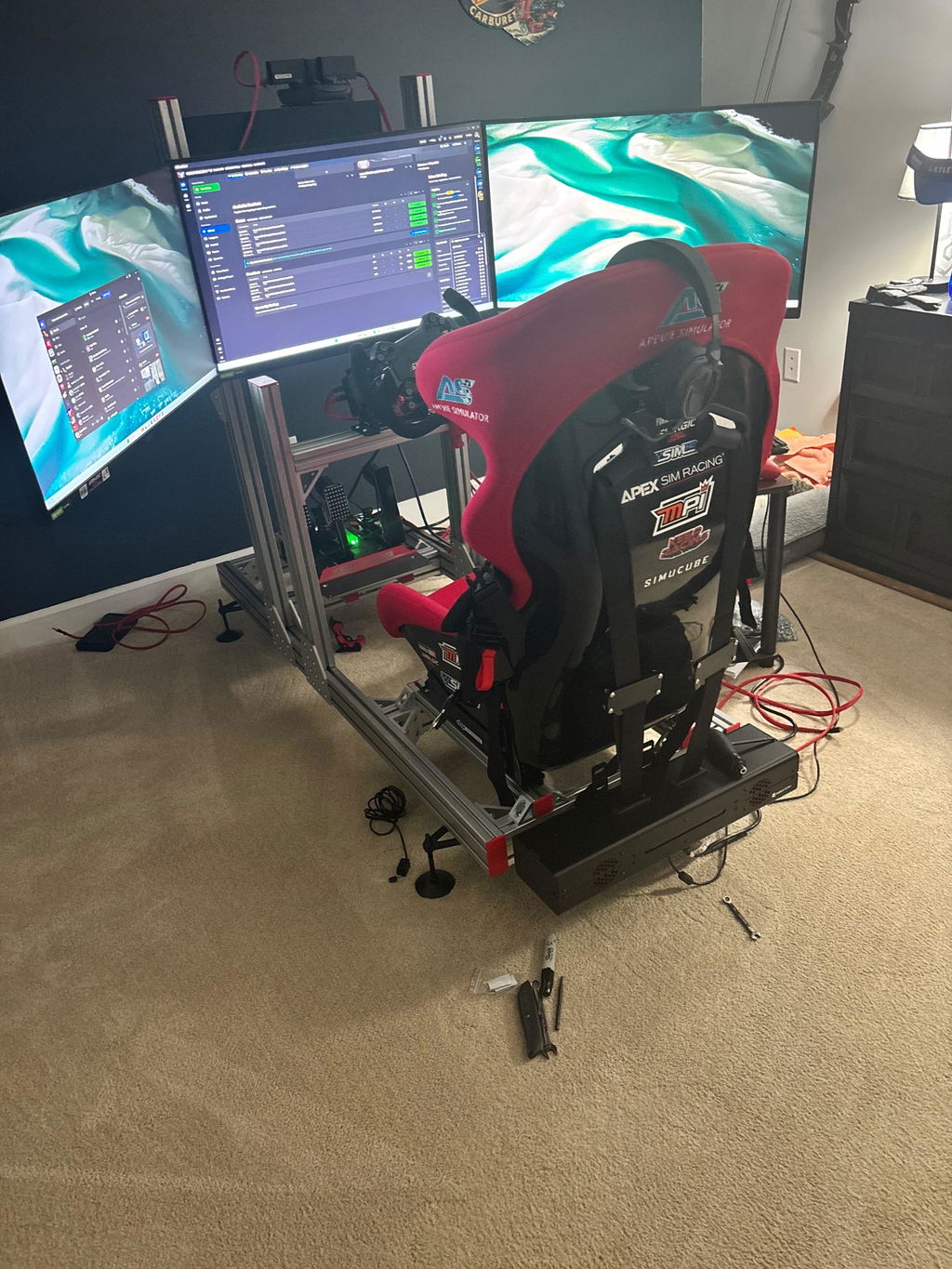
A single monitor uses less space, but shows less peripheral context than a triple-monitor setup. A Triple Monitor Setup can extend the view toward the sides, which helps when judging nearby cars or looking through a corner. An ultrawide curved monitor offers a continuous image across a wider screen, without placing separate screens at each side. The right choice depends on available space and how much of the circuit you need to see at once.
Virtual reality places you inside the simulated cockpit and can support spatial awareness and quick reactions. It also changes how you perceive distance and the car’s position relative to track edges. Drivers who judge corner entry by looking toward the apex may value this perspective; those who prioritize a stable, familiar view may prefer monitors. Display preference is personal, so choose what suits the way you read a circuit.
The cockpit matters as much as the image. GT and open-wheel cockpits create different seating positions, affecting how naturally you reach the wheel and pedals. Choose a layout based on the cars you practise, then position the display to align the track view with your seated perspective. If the screen height, seat position, and wheel placement don’t work together, the virtual car can feel disconnected from your controls.
Use this decision framework: choose VR for an immersive view, triple monitors for a broad peripheral view, or an ultrawide for one continuous display. Then select a cockpit to suit your driving discipline and available space.
Apevie Simulators
Apevie Simulators can help turn your race-training priorities into a complete simulator plan. Expert support can guide your build decisions, and a turnkey racing simulator package brings the selected setup together. During a consultation, you can discuss your goals and get guidance on selecting components for your build.
If you want your setup delivered and installed as a cohesive solution, Apevie Simulators also provides white-glove simulator installation. The installation service brings your selected configuration together in your space, so you can review the finished setup against your goals.
Contact Apevie Simulators about your setup to discuss your race-training requirements and possible next steps.
Shape Your Next Training Session
Turn your practice goals into a clear configuration brief: list the car types you drive, the skills you want to develop, and the feedback you want from the cockpit. A driving simulator for race training should support that plan, not add features that don’t serve your sessions.
Apevie Simulators can build a custom high-performance racing simulator around your requirements. Its options include the Sigma Integrale DK2 Motion System and Heusinkveld Sim Pedals Sprint, giving you components to consider as part of a complete setup. The right choices depend on how you want the simulator to respond and which controls matter most to your driving.
Bring those priorities together in a conversation about your setup. Contact Apevie Simulators about your setup to discuss motion-system requirements, pedal choice, and installation for your simulator.
Frequently Asked Questions
How Real is Sim Racing?
Sim racing can help make the mental work of driving feel familiar, including scanning for cues, planning a sequence, and responding under pressure. How realistic it feels also depends on how well the simulation represents the tasks you care about. Practising a race start, for example, can help you rehearse timing and control coordination. Simulation won’t reproduce every aspect of being physically present in a race car.
How realistic are racing simulators compared with real-world track driving?
A simulator can recreate the visual scene and many driving decisions, but a real track includes cues a home setup may not provide, such as changing ambient light, sound direction, and the physical workload of a session. Simulation is useful for focused preparation, but it isn’t a complete substitute for track experience. Use it to rehearse decisions before applying them in a real car. For drivers also shopping for a responsive real-world vehicle, used-car retailers like Auto Sale Newport offer options ranging from performance daily drivers to modern electric models.
What hardware is needed for a race-training simulator?
At minimum, you need a computer that runs your chosen racing software, a compatible steering wheel and pedal set, and a display. Before a session, confirm that the game recognizes each control and assign essential functions, such as shifting and looking left or right. Secure mounting matters too: controls that move under braking make consistent inputs harder to reproduce.
What simulator settings and drills help train for a specific race track?
Beyond learning the circuit, rehearse operational details that can demand attention on race day. Practise locating pit entry, responding to start signals, and using any controls you’ve mapped for the session. You can also focus a session on procedures rather than lap performance. This builds familiarity with tasks that compete for attention during a race weekend.
What are the benefits and limitations of simulator training for real racing?
Simulation lets you rehearse race routines and decision-making in a repeatable environment, including how to manage your attention across several tasks. Its limitation is context: a virtual session can’t recreate every on-site variable, such as schedule changes, crew communication, or the feel of a physical race weekend. Use simulator practice to prepare specific skills, then adapt them to the actual event.