Single Monitor, Triple Screens, or VR – Which Sim Racing Display is Best for You?
The choice that defines your entire sim racing experience.
Walk into any sim racing forum and you'll find passionate arguments for every display option. Single monitor fans praise simplicity. Triple screen enthusiasts swear by peripheral vision. VR converts will tell you it's the only way to truly feel like you're in the car.
Here's the truth: There is no universal "best" option. The right choice depends on your goals, your space, your budget, and how you race. This guide breaks down everything you need to know-field of view, immersion, performance costs, space requirements, and motion rig compatibility-so you can make the right call the first time.
First, Let's Talk Field of View (FOV): The Science Behind What You See
Before choosing your display setup, you need to understand FOV-the single most important factor in how natural and immersive your sim feels.
What is FOV?
Field of View is the angle of the virtual camera that determines how much of the virtual world you can see on your screen at once. In real life, humans have roughly 200° horizontal vision, but only the central 40-60° processes detailed visual information-the rest is peripheral.
Why FOV Matters for Performance
Get your FOV wrong, and everything feels off:
-
Too low: You lose peripheral awareness, can't see cars alongside, and your sense of speed feels sluggish.
-
Too high: Speed feels exaggerated, braking points become impossible to judge accurately, and you feel disconnected from the track.
The "one true FOV": Technically, there's only one mathematically correct FOV for your specific setup, calculated from your screen size and viewing distance. Most sims have built-in FOV calculators-use them as your starting point.
For smaller single screens, you may need to compromise slightly above the "correct" value for usability. But for triples, ultrawides, or VR, aim for precision.
Option 1: Single Monitor Setup – The Simple Start
A single monitor is where most sim racers begin-and for good reason. It's affordable, space-efficient, and straightforward.
What You Need to Know
-
Minimum size: 32″ is the realistic starting point for sim racing. At typical viewing distances (65-80cm), a 27″ screen gives you only about 28° of FOV-like watching through a letterbox.
-
Resolution sweet spot: 1440p offers the best balance of sharpness and GPU demands. 4K looks stunning but requires serious hardware.
-
Refresh rate: 144-165Hz is the sweet spot. Going higher offers diminishing returns for sim racing.
Pros and Cons
| Pros | Cons |
|---|---|
| Affordable entry point | Limited peripheral vision |
| Minimal space required | Poor situational awareness |
| Easy to set up and configure | Can't see cars alongside easily |
| Lowest GPU demands | Least immersive option |
➡️ Best Suited For: Beginners on a budget, console racers, mixed-use gaming, and anyone with limited space.
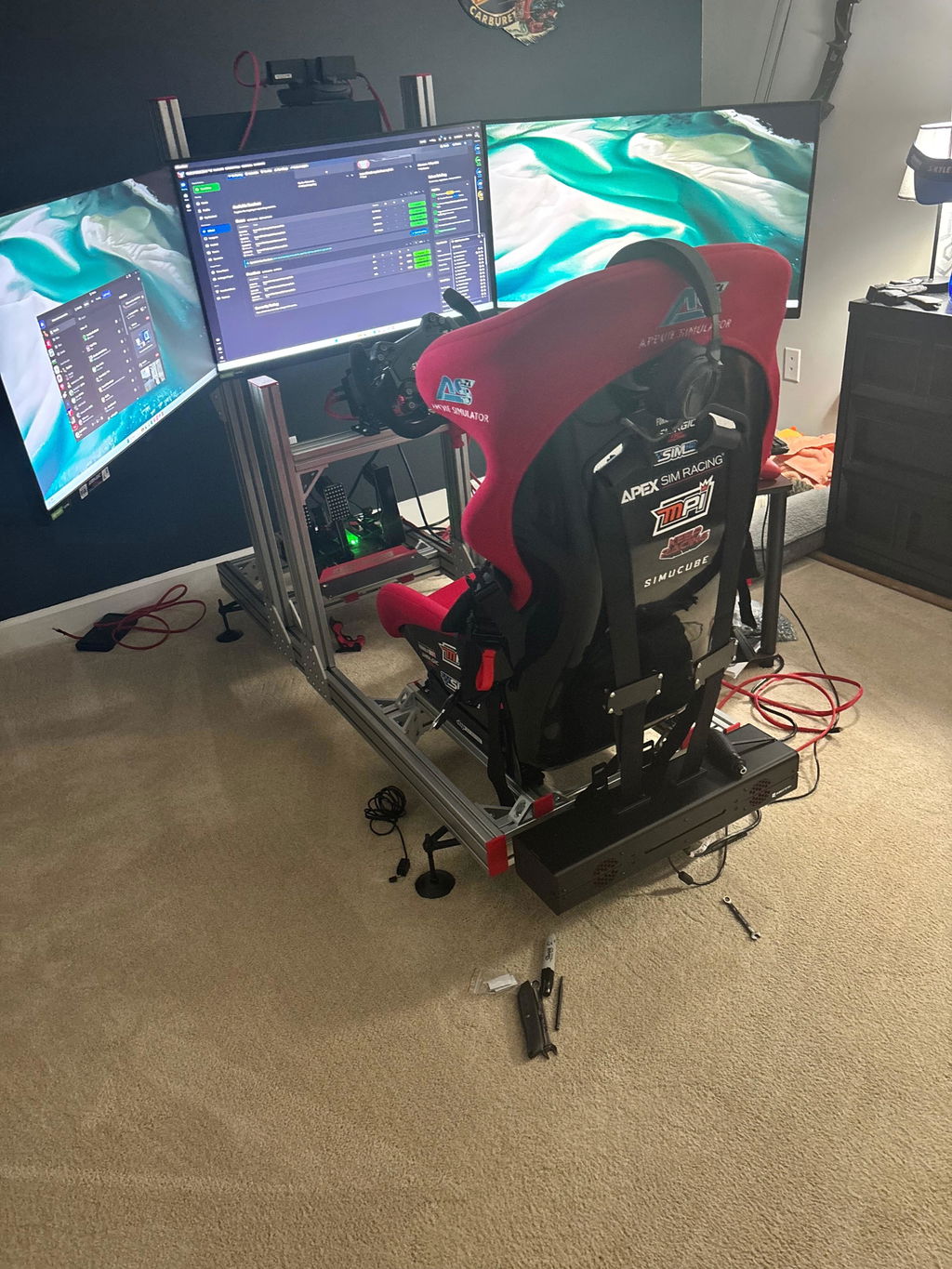
Option 2: Triple Screen Setup – The Competitive Standard
Triple monitors are the gold standard for serious sim racers. They deliver the widest field of view without a headset on your face.
What You Need to Know
-
FOV achieved: At proper alignment, triple 32″ monitors achieve approximately 165° horizontal FOV-close to the 180° you'd get in a real car. That peripheral vision fundamentally changes how you race.
-
Screen size recommendations: 27″ per screen is the minimum. 32″ is ideal. 55″ offers the ultimate immersion for those with space and budget.
-
Curvature matters: For triples, stick to 1500R curve or flatter. Aggressive curves (1000R like Samsung G7/G8) don't align properly when angled together.
-
GPU requirements escalate fast: Triple 1440p at competitive frame rates needs at least an RTX 4070 Super. Triple 4K is barely achievable even with an RTX 4090.
Pros and Cons
| Pros | Cons |
|---|---|
| Wide peripheral vision (165°+) | Significant space required |
| Sharp, high-resolution detail | High GPU demands |
| Comfortable for long endurance stints | Complex setup and alignment |
| See mirrors and alongside cars naturally | Higher total cost |
| No headset fatigue | Bezels can be distracting |
➡️ Best Suited For :Competitive league racers, endurance drivers, streamers, and anyone who prioritizes peripheral awareness above all else.
Option 3: Ultrawide – The Middle Ground
Ultrawide monitors have become a compelling middle ground between singles and triples. Models from Samsung, LG, and others offer massive 45-49″ curved panels that fill your vision in one seamless display.
What You Need to Know
-
Field of view: A 49″ ultrawide (32:9 aspect ratio) can achieve FOV close to triple 32″ screens-often exceeding 120°-but without bezels breaking the image.
-
OLED advantages: Many new ultrawides use OLED panels, offering perfect blacks, vibrant colors, and 0.03ms response times. Night racing and wet conditions look stunning.
-
Resolution: 5120×1440 is common on 49″ models-demanding, but less punishing than triple 1440p.
Pros and Cons
| Pros | Cons |
|---|---|
| Wide FOV without bezels | Slightly less peripheral than triples |
| Stunning OLED visuals available | Still expensive ($1,200-$2,000+) |
| Simpler setup than triples | High GPU demands |
| Takes less space than triples | Less flexible for non-racing games |
➡️ Best Suited For: Racers who want wide FOV without triple complexity, those who prioritize visual quality with OLED, and anyone needing a single screen for both work and sim racing.
Option 4: VR – Maximum Immersion
Virtual Reality puts you inside the car in a way no screen can match. It's the ultimate immersion-but it comes with real tradeoffs.
What You Need to Know
-
FOV is automatic: In VR, you don't calculate FOV-it's inherent to the headset. With IPD set correctly, your view is 100% accurate to your head movement.
-
Resolution reality: Even high-end headsets (like Pimax Crystal or Varjo Aero) don't match the pixel density of a good monitor. Brake markers and small HUD elements can be harder to read.
-
Performance demands are extreme: VR requires 90+ FPS per eye, with consistent frame pacing to avoid motion sickness. This pushes even RTX 4090 systems to their limits in demanding sims.
-
Comfort is personal: Some racers do 6-hour endurance stints in VR without issue. Others feel sick after 20 minutes. Heat, weight, and eye strain are real factors.
Pros and Cons
| Pros | Cons |
|---|---|
| Maximum immersion-you're IN the car | Can cause motion sickness |
| Perfect depth perception | Lower visual clarity than monitors |
| Natural head movement for mirrors | Physically tiring for long sessions |
| Small physical footprint | High-end PC absolutely required |
| Rally titles feel incredible | Can't see your real wheel/rig |
➡️ Best Suited For :Pure immersion seekers, rally drivers, and those with minimal physical space who are willing to optimize settings and tolerate the tradeoffs.
Head-to-Head Comparison
| Factor | Single Monitor | Triple Screens | Ultrawide | VR |
|---|---|---|---|---|
| Field of View | 30-60° | 150-180° | 100-130° | 100-120°+ (varies) |
| Immersion | Low | High | High | Maximum |
| Visual Clarity | Excellent | Excellent | Excellent | Good (improving) |
| Space Required | Minimal | Significant | Moderate | Minimal |
| Setup Complexity | Low | High | Medium | Medium |
| GPU Demands | Low | Very High | High | Extreme |
| Comfort (long sessions) | Excellent | Excellent | Excellent | Variable |
| Cost (entry) | $200-500 | $900-2,000+ | $1,200-2,000+ | $500-2,000+ |
| Best Use Case | Beginners, console | Competitive, endurance | Visual quality, mixed use | Immersion, rally |
How Your Display Choice Affects Your PC Requirements
This is where many racers make expensive mistakes. Your display choice directly determines the PC power you need.
| Display Setup | GPU Recommendation | CPU Priority |
|---|---|---|
| Single 1080p/1440p @ 144Hz | RTX 3060 / RTX 4060 | Balanced |
| Single 4K @ 120Hz | RTX 4080 / RX 7900 XTX | Balanced |
| Triple 1080p @ 144Hz | RTX 3070 / RTX 4060 Ti | CPU matters more |
| Triple 1440p @ 120Hz+ | RTX 4070 Super minimum | Strong CPU essential |
| Triple 4K @ 120Hz | RTX 4090 (barely achievable) | Top-tier CPU required |
| 49″ Ultrawide (5120×1440) | RTX 4070 Ti / 4080 | Strong CPU recommended |
| VR (high-res, 90+ FPS) | RTX 4080 / 4090 | Strong single-core perf |
➡️ Key insight: Sim racing titles lean heavily on CPU for physics, AI, and telemetry. Pairing a high-clock CPU with a powerful GPU is essential-especially for triples and VR.
The Motion Rig Factor
If you have-or plan to get-a motion simulator, your display choice becomes even more critical.
Motion + Triples
The ideal combination for most motion rig owners. The wide FOV matches the physical motion cues, and there's no headset to cause motion sickness conflict. A triple screen setup with quality 6DOF motion is the benchmark for home sim racing.
Motion + VR
This is the ultimate immersion-when it works. But the combination can amplify motion sickness risk, and the headset blocks you from seeing your real-world rig moving. Some love it; others can't handle it.
Motion + Single/Ultrawide
Works fine, but you're leaving immersion on the table. The motion tells your body you're moving, but your peripheral vision says you're stationary.
The Final Verdict: Which Should You Choose?
If you're just starting out with limited space and budget, a single monitor setup will serve you well while you learn the craft. But if competition and peripheral awareness drive you, investing in triple screens is the path to faster, more consistent lap times.
For those wanting wide FOV without the complexity of triples, an ultrawide monitor hits the sweet spot-especially if you prioritize visual quality with OLED and need a single screen for work and play. And if maximum immersion is your goal and you're willing to optimize settings and accept some tradeoffs, VR puts you inside the car like nothing else can.
Choose what fits how you actually race. There's no wrong answer-only the right answer for you.
Your Next Step: Build the Right Setup
Whatever display path you choose, getting the hardware right matters. A stable mount, a rigid cockpit, and proper positioning make all the difference in how your chosen display performs.
Take your time, measure your space, and build the setup that fits how you actually race.
➡️ Browse our parts and accessories for monitor stands and more.